Material settings, video tutorials, software downloads, and practical guides to help you get the most from your fiber laser engraver. Whether you just unboxed your first unit or you are optimizing a production workflow, start here.
Tested starting settings for common materials. Use these as baselines and adjust speed, power, frequency, and pulse width to match your specific blank and desired finish.
| Material | Speed (mm/s) | Power (%) | Frequency (kHz) | Passes | Notes |
|---|---|---|---|---|---|
| Stainless Steel 304 (surface mark) | 1500-2000 | 40-60 | 20-30 | 1 | Black annealing mark. Increase speed for lighter shade. |
| Stainless Steel 304 (deep engrave) | 200-400 | 80-100 | 30-50 | 10-30 | Multiple passes. Clean between passes for best depth. |
| Stainless Steel (MOPA color) | 500-1500 | 10-40 | 1-100 | 1 | Pulse width 2-200ns. Color depends on PW and frequency combination. Test on scrap first. |
| Aluminum (anodized) | 2000-3000 | 30-50 | 20-40 | 1 | Removes anodized layer to expose bare aluminum. Clean contrast. |
| Aluminum (bare - deep engrave) | 200-500 | 80-100 | 20-40 | 15-40 | Soft metal. Deep engraving possible with multiple passes. Use air assist. |
| Brass | 500-1000 | 60-80 | 20-30 | 1-5 | High reflectivity. Start at lower power and increase gradually. |
| Titanium | 1000-2000 | 40-70 | 20-50 | 1 | Produces color marks similar to stainless steel with MOPA sources. |
| ABS Plastic | 2000-3000 | 10-25 | 20-40 | 1 | Use low power to avoid melting. Produces white/light mark on dark ABS. |
| Coated Metal (powder coated) | 1500-2500 | 30-50 | 20-40 | 1 | Ablates coating layer. Clean edge depends on coat thickness. |
Note: These are starting-point values for 20W-60W fiber lasers with a 110x110mm lens. Your results will vary based on specific alloy composition, surface finish, ambient temperature, and lens focal length. Always test on scrap material first. MOPA color settings are highly sensitive to pulse width and frequency combinations; refer to our color marking video guide for detailed tuning instructions.
Step-by-step walkthroughs from unboxing to advanced techniques.
Complete setup guide from opening the box to your first engraving. 12 minutes.
How to achieve different colors on stainless steel using pulse width and frequency control. 18 minutes.
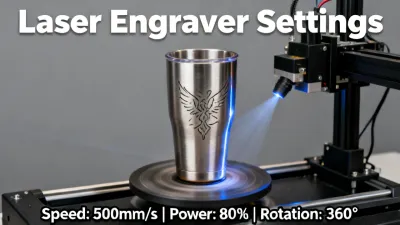
Setting up the rotary attachment, aligning curved surfaces, and dialing in clean results on 20oz tumblers. 15 minutes.
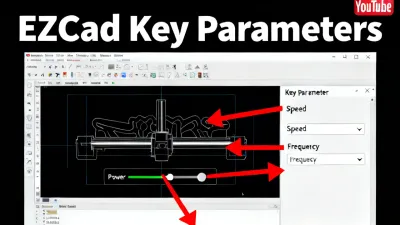
Navigating the interface, importing files, setting parameters, and running your first job. 20 minutes.
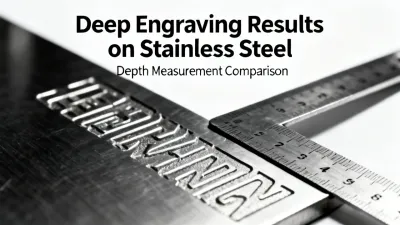
Multi-pass deep engraving on stainless steel and aluminum. Parameter settings, cleaning between passes, and depth expectations. 14 minutes.
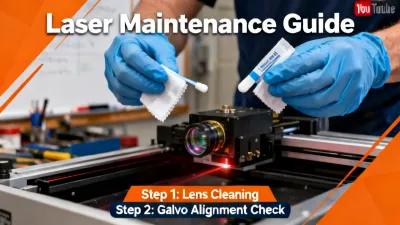
How to clean the protective lens, inspect the galvo mirrors, and keep your laser running at peak performance. 8 minutes.
Core specifications for every ComMarker product line. All laser sources are supplied by JPT Opto-electronics (Shenzhen) or Raycus (Wuhan). Galvo scanners are sourced from Sino-Galvo. Specifications verified as of January 2026.
| Model | Laser Source | Power Options | Wavelength | Pulse Width | Work Area | Safety Class | Released |
|---|---|---|---|---|---|---|---|
| B4 | Raycus RFL-P (Q-switched) | 20W, 30W, 50W, 60W | 1064nm | Fixed (~120ns) | 110x110mm (std), 175x175mm (opt) | Class 4 (open-frame) | 2019 |
| B6 MOPA | JPT M7 (MOPA) | 20W, 30W, 60W | 1064nm | 2-350ns (adjustable) | 110x110mm (std), 175x175mm (opt) | Class 4 (open-frame) | 2021 |
| Omni 1 | JPT M7 or Raycus (configurable) | 20W, 30W, 60W | 1064nm | Varies by source | 110x110mm (internal chamber) | Class 1 (enclosed, IEC 60825-1) | 2022 |
| Omni X | JPT UV source | 3W, 5W, 10W | 355nm | Varies | 110x110mm (internal chamber) | Class 1 (enclosed) | 2023 |
| Titan | JPT M7 MOPA | 100W, 200W | 1064nm | 2-350ns (adjustable) | 175x175mm (std), 300x300mm (opt) | Class 4 (open-frame) | 2024 |
Pricing: ComMarker desktop fiber lasers (B4, B6) start in the $1,500-$4,000 range. The Omni 1 enclosed system starts at approximately $2,500-$5,000 depending on power and source selection. Titan industrial models are priced on a per-configuration basis. Contact our sales team at [email protected] for current pricing. All prices are subject to change and exclude shipping, duties, and accessories.
Our proprietary marking software with built-in material parameter library, project management, and one-click presets. Compatible with Windows 10/11.
Latest version: v2.1.3 (Released January 2026)
Request Download LinkIndustry-standard laser marking control software. Included with every ComMarker purchase. Supports DXF, SVG, AI, BMP, JPG, PNG file formats.
Latest version: v2.14.16
Request Download LinkChoosing the right laser type depends on your materials, production volume, and budget. This comparison covers the three most common laser technologies used in marking and engraving applications.
| Specification | Fiber Laser (1064nm) | CO2 Laser (10.6μm) | UV Laser (355nm) |
|---|---|---|---|
| Wavelength | 1064nm (near-infrared) | 10,600nm (far-infrared) | 355nm (ultraviolet) |
| Metal Marking | Excellent: stainless steel, aluminum, brass, copper, titanium, gold, silver | Poor: only marks anodized/coated metals, cannot engrave bare metal | Limited: surface marking on some metals, weaker depth than fiber |
| Organic Materials | Poor: cannot cleanly process wood, leather, paper, acrylic | Excellent: cuts and engraves wood, acrylic, leather, fabric, paper, rubber | Moderate: marks some plastics and coated surfaces, limited cutting |
| Glass / Crystal | Very limited: surface fracturing only | Surface engraving with risk of cracking on thermal shock | Good: cold marking with minimal thermal damage |
| Typical Power Range | 20W - 200W (marking/engraving class) | 30W - 150W (cutting/engraving class) | 3W - 15W (marking class) |
| Laser Source Lifespan | ~100,000 hours (diode-pumped, maintenance-free) | ~10,000-30,000 hours (RF-excited tubes) or 2,000-8,000 hours (glass tubes) | ~20,000-30,000 hours (depends on UV conversion crystal wear) |
| Marking Speed | Fast: 2-10 seconds per typical mark on metal | Moderate: 10-60 seconds per cut/engrave on wood/acrylic | Slow to moderate: 5-30 seconds per mark, lower power limits speed |
| Color Marking | Yes (MOPA only): oxide-layer colors on stainless steel and titanium | No: single-tone marking only | No: single-tone marking only |
| Entry-Level Machine Cost | $1,500 - $4,000 (desktop fiber) | $400 - $3,000 (desktop CO2) | $3,000 - $8,000 (desktop UV) |
| Maintenance Cost | Low: protective lens replacement ($15-40), no gas, no tube replacement | Medium-High: tube replacement ($200-2,000), mirror/lens alignment, gas refills for RF tubes | Medium: crystal degradation over time, protective lens replacement |
| Ideal Use Cases | Metal marking, serial numbers, jewelry engraving, industrial traceability, color marking | Wood cutting, acrylic cutting, leather engraving, paper crafts, signage | Glass marking, PCB marking, medical device marking, sensitive plastic marking |
Note: Cost ranges are approximate 2024-2025 market prices for desktop-class equipment. Industrial systems in each category typically cost 10-50x more. Lifespan estimates are manufacturer-rated figures under normal operating conditions. ComMarker manufactures fiber and UV laser systems; we do not sell CO2 machines. If your application requires CO2, established brands include Epilog Laser, Trotec, Thunder Laser, Glowforge, and OMTech.
Application-specific guides written from hands-on testing in our lab.
Settings for gold, silver, platinum, and stainless steel jewelry. Fixture recommendations for rings and pendants. Achieving hairline-thin detail.
Read Guide →Equipment checklist, material sourcing, rotary setup, pricing strategy, and marketing tips for a custom tumbler engraving business.
Read Guide →Overview of traceability standards (UID, UDI, VIN), barcode and DataMatrix requirements, and how to set up compliant marking with ComMarker systems.
Read Guide →Our application engineers test materials every day. Send us your project details and we will help you find the right parameters and the right machine.
Ask Our Application Team